Graphs Window
|
The Graphs window displays statistical graphs about many elements of your
city. It can be opened by selecting the Graph tab in the City
Info window (which can be opened from the Windows menu).
The many checkboxes on the right side of the window let you toggle on and
off various graphic displays. Click on the 1 year, 10 year or 100 year button
to set the time scale for the graphs.
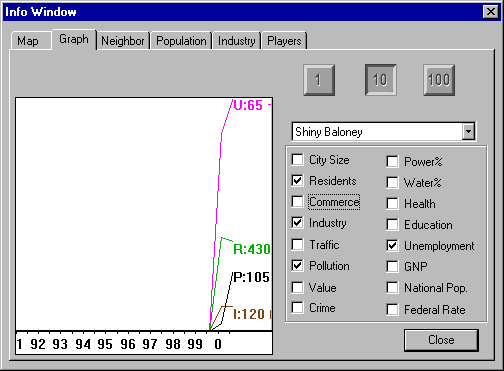 The Graphs Window Reading City Statistics on the 10-Year Scale
Each graph:
- Is shown in a different color
- Has a "marker" letter or symbol at its right end to help
you identify it
- Is followed by a number that gives its current value
City Size, marked with an "C," is the total city population.
Residents, marked with an "R," shows the population that
isn't part of the job market, including children, elderly and spouses not
employed outside of the home.
Commerce, marked with a "C," shows the number of people
employed in commercial jobs.
Industry, marked with an "I," shows the number of people
employed in industrial jobs.
Traffic, marked with a "T," shows the average density of
your road network including buses, but not trains or subways. For this graph,
traffic is considered road congestion, not the total amount of travel.
Pollution, marked with a "P," shows the growth or decline
in the general level of pollution in the city.
Value, marked with a "V," shows the fluctuations of the
average land value in the city by graphing the median home price.
Crime, marked with an "X," shows the changing crime rate
in your city.
Power%, marked with a "p," shows the remaining capacity
of your power plant(s). When you get to 0 you'll start to have brownouts.
Water%, marked with a "w," shows the remaining capacity
of your water system. When you get to 0 you'll need more wells and pumps.
Health, marked with an "h," shows the growth or decline
of the overall health level of the citizens of your city.
Education, marked with an "e," shows the ever-changing
average level of education that the citizens of your city have reached.
Unemployment, marked with a "u," shows the changing number
of people that are out of work in your city.
Gross National Product (GNP), marked with a "g," shows
the total value of goods and services produced by the residents of SimNation.
This affects the market for industrial goods produced in your city.
National Pop., marked with an "n," shows the changes in
SimNation's total population.
Federal Rate, marked with "%," is the prime interest rate
as set by SimNation's Federal Reserve Board.
|
(C)1996, Maxis, Inc.
|