Industry Window
|
The Industry window displays graphs of statistics about your city's industry.
It can be opened by selecting the Industry tab in the City
Info window, which is opened from
the Windows menu. The three buttons on the right of the window let you choose
between three different industry-related graphic displays:
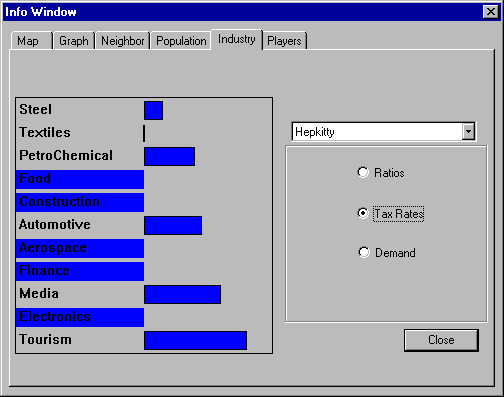
Ratios shows the distribution of various types of industries in your
district.
Tax Rates shows the rate at which various industries are taxed. This
is the property tax for industry as set in the Budget window. You can change
the rate for individual industries by dragging the blue bar to the right
(increase tax) or left (decrease tax). You may want to lower taxes on an
industry to encourage its growth withing your city. You may want to increase
taxes to discourage an industry, or to fine it for causing excess pollution.
Demand shows a graph of which industries' products are in demand
nationally.
|
(C)1996, Maxis, Inc.
|